
VDS hosting
Virtual dedicated servers (VDS) with CPU cores reserved for you alone: KVM on AMD Ryzen 9 7950X3D and 9950X3D processors, DDR5 memory and NVMe storage, with VibeSHIELD DDoS protection designed for game hosting included.
Advanced DDoS Protection
Dedicated CPU cores
SSD storage
Fast delivery
Great support

Servers in Amsterdam
Dedicated CPU cores
RAM
Storage
Network
Delivery
Price
Virtual CPU cores
2x Ryzen 9 9950X
4.3 Ghz - 5.7 Ghz
RAM
8GB DDR5 RAM
Storage
200GB NVMe SSD
Network
10 Gbit/s
Delivery
120 seconds
Price
€ 55,00 / mo
Virtual CPU cores
4x Ryzen 9 9950X
4.3 Ghz - 5.7 Ghz
RAM
16GB DDR5 RAM
Storage
400GB NVMe SSD
Network
10 Gbit/s
Delivery
120 seconds
Price
€ 110,00 / mo
Virtual CPU cores
6x Ryzen 9 9950X
4.3 Ghz - 5.7 Ghz
RAM
24GB DDR5 RAM
Storage
600GB NVMe SSD
Network
10 Gbit/s
Delivery
120 seconds
Price
€ 165,00 / mo
Virtual CPU cores
8x Ryzen 9 9950X
4.3 Ghz - 5.7 Ghz
RAM
32GB DDR5 RAM
Storage
800GB NVMe SSD
Network
10 Gbit/s
Delivery
120 seconds
Price
€ 225,00 / mo
10x Ryzen 9 9950X
4.3 Ghz - 5.7 Ghz
40GB DDR5 RAM
1000GB NVMe SSD
10 Gbit/s
120 seconds
€ 280,00 / mo
Virtual CPU cores
10x Ryzen 9 9950X
4.3 Ghz - 5.7 Ghz
RAM
40GB DDR5 RAM
Storage
1000GB NVMe SSD
Network
10 Gbit/s
Delivery
120 seconds
Price
€ 280,00 / mo
12x Ryzen 9 9950X
4.3 Ghz - 5.7 Ghz
48GB DDR5 RAM
1200GB NVMe SSD
10 Gbit/s
120 seconds
€ 350,00 / mo
Virtual CPU cores
12x Ryzen 9 9950X
4.3 Ghz - 5.7 Ghz
RAM
48GB DDR5 RAM
Storage
1200GB NVMe SSD
Network
10 Gbit/s
Delivery
120 seconds
Price
€ 350,00 / mo
16x Ryzen 9 9950X
4.3 Ghz - 5.7 Ghz
64GB DDR5 RAM
1600GB NVMe SSD
10 Gbit/s
120 seconds
€ 475,00 / mo
Virtual CPU cores
16x Ryzen 9 9950X
4.3 Ghz - 5.7 Ghz
RAM
64GB DDR5 RAM
Storage
1600GB NVMe SSD
Network
10 Gbit/s
Delivery
120 seconds
Price
€ 475,00 / mo
All servers have unmetered bandwidth within the network fair use in our Terms of Service.
Full root access
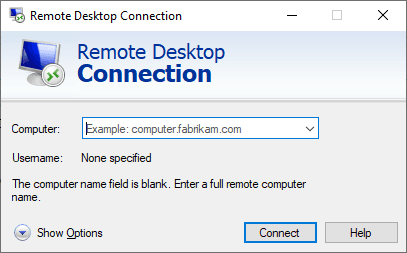
With a dedicated server you will get full root/administrator access to your server. You can login via remote desktop (Windows) or SSH (Linux).
Using remote desktop is just like working on your own PC without any restrictions. You can install and change whatever you want! We offer both Windows and Linux distributions.
What is a virtual dedicated server?
A VDS (virtual dedicated server) is a KVM virtual machine whose CPU cores are pinned to you and never sold twice. On a normal VPS the host's cores are shared between tenants, so a neighbour's busy server can cost you tick rate. On a VDS the cores, the RAM and the NVMe storage are reserved, which gives you the performance of a dedicated server with the flexibility of a virtual one: deployed in two minutes, reinstalled in a click, upgraded without a hardware swap.
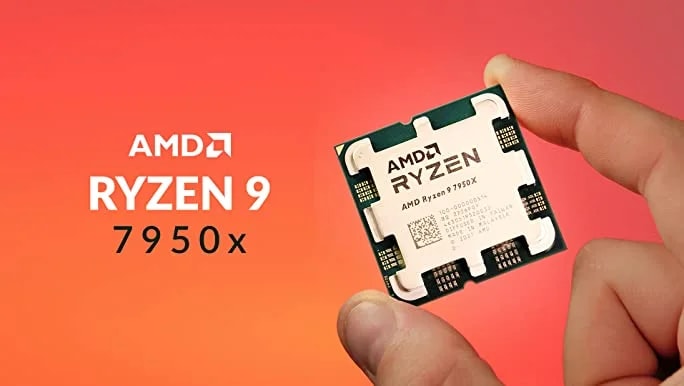
Our VDS nodes run AMD Ryzen 9 7950X3D and 9950X3D processors: desktop gaming CPUs with 3D V-Cache, boost clocks above 5 GHz and DDR5 memory. Game server main loops, which are single-threaded, run noticeably faster on them than on the Xeon and EPYC cores most dedicated server providers sell.
Built for the servers that outgrow a VPS
A VDS is the right choice when one server needs consistent, predictable performance, or when you run several at once.
Large FiveM servers
64 to 256 slot FiveM servers with heavy resources, a MariaDB database and txAdmin on one machine, with no neighbour taking CPU time during peak hours.Minecraft networks
A Velocity proxy with survival, creative and minigame backends, each on its own cores, plus a database and web map.Rust, Palworld and ARK
Memory-hungry survival games with large maps and 100+ players, which need 16 GB or more and a CPU that keeps the tick rate up all wipe long.Communities with several servers
Run your FiveM, Minecraft and Discord bot stack on one VDS instead of three separate services, and manage it all over one remote desktop or SSH session.Databases and APIs
Low latency MariaDB, MySQL or Redis for your game servers, websites and stat trackers, on dedicated cores so queries never wait.Hosting your own game panel
Install Pterodactyl or another panel and run your own servers behind it. Reserved cores mean one server cannot slow down another.
Which VDS plan do you need?
VDS plans run from 2 dedicated cores and 8 GB DDR5 RAM to 16 cores and 64 GB RAM, with 150 GB to 1.2 TB of NVMe storage and a 10 Gbit/s uplink on every plan.
A single FiveM server with 64 to 128 slots, a 100 player Minecraft server or a Rust server for a small community, on reserved cores.
A FiveM server with heavy resources and a database, a modded Minecraft network or two to three game servers side by side.
Several large servers at once, a full Minecraft network with proxy and minigames, or a Palworld, ARK or Rust server with a maxed out player count.
Dedicated CPU cores versus shared vCPUs
A vCPU on a shared VPS is a time slice: the hypervisor lets several virtual machines take turns on the same physical core. When all of them are busy at the same time, each one gets a fraction. For a website that is invisible. For a game server that must finish a tick every 50 ms, it shows up as rubber banding and dropping server FPS at the busiest moment of the evening.
A VDS core is yours alone. The hypervisor pins it to your machine and nothing else is scheduled on it, so your server FPS at 9 PM on Saturday equals your server FPS at 4 AM on Tuesday. It is also why a VDS gets the full performance of its Ryzen 9 cores, not a share of it.
VibeSHIELD DDoS protection included
Large communities are the ones that get attacked, and every VDS sits behind VibeSHIELD, our own anycasted DDoS protection network with multi-Tbps mitigation capacity. Game-aware filters inspect the traffic at the protocol level, so a flood is dropped at the edge while real players stay connected.
Protection is always on and included. Switch filter profiles per IP address from your dashboard.
VDS locations in 11 cities
VDS nodes run in Amsterdam, Frankfurt, Istanbul, New York, Chicago, Dallas, Miami, São Paulo, Singapore, Tokyo and Sydney. The hardware is identical in every city, so you pick purely on ping. The latency checker below measures your connection to every location live.
Pick the city closest to your players, not to you.
Central locations such as Frankfurt for Europe and Chicago or Dallas for North America give the fairest latency to a spread out player base. A FiveM server for a Dutch community belongs in Amsterdam; one for Texas in Dallas.
VPS, VDS or dedicated server: which one do you need?
All three run on the same AMD Ryzen 9 hardware with NVMe storage and VibeSHIELD DDoS protection. The difference is how much of the machine is yours and how far you want to scale.
| VPS hostingVirtual server, shared cores | VDS hostingYou are hereVirtual dedicated server, reserved cores | Dedicated server (bare metal)Bare metal, the whole machine | |
|---|---|---|---|
| CPU | Ryzen 9 7900 cores, shared with the other VPS on the host | Ryzen 9 7950X3D and 9950X3D cores, pinned to you alone | Every core in the box, no hypervisor in between |
| Memory | 4 to 24 GB DDR5 | 8 to 64 GB DDR5 | As listed per machine |
| Deployed | In about two minutes | In about two minutes | Within 24 hours, set up by staff |
| Best for | A single game server, a Discord bot, a website or a small FiveM community | Large FiveM, Minecraft and Rust servers, or several servers at once | Networks, studios and anyone who wants full control or their own virtualisation |
| Price | from € 18,00 / mo | from € 50,00 / mo | from € 275,00 / mo |
| View VPS plans | This page | View dedicated servers |
From payment to a running server in two minutes
Your VDS is deployed automatically after payment and the login details arrive by email. Full root or administrator access means you install what you want; the help centre covers the common first steps:
A clean start is one click away
Reinstalling is one click: pick Windows Server, Ubuntu, Debian or another template in the dashboard and the server is back to a clean state in minutes, with the same IP address.
Switching from another dedicated server provider?
Most moves from a dedicated server or another VDS take an evening: copy the files, restore the database, test on the new IP address. Our team helps when something does not come across cleanly.
- 1
Order the VDS and note the new IP address
- 2
Copy files over SFTP, rsync or a remote desktop session
- 3
Restore your database and config files
- 4
Test with a few players, then update your listing or DNS
- 5
Cancel the old server once everyone has moved
VPS and dedicated server help centre
Step by step walkthroughs for setting up and running your server, written by the team that hosts it.
- How to connect to your Windows serverYou manage a Windows server over Remote Desktop (RDP).
- How to connect to your Linux serverYou manage a Linux server over SSH. You will need the server's IP address and the root password, which VibeGAMES emails you as…
- How to Add an Extra Windows User on a Windows ServerAdding a second Windows account to your server is useful when several people manage the same machine, or when you want teammates…
- How to Create a Minecraft Server on a Windows VPSFollow these steps to create and configure a Minecraft server on your Windows VPS.
What customers say
 4.4 out of 5 on Trustpilot, based on 651 reviews

Hassan Rashid
Jul 29, 2026

always love to work with them Goat customer since 2021

Joshua Blackman
Jul 15, 2026
I am never leaving this company , I have tried other VPS providers and this is on another level, never lags or crashes . Not just that, the customer service is efficient and really good. They are always there to help with your issues. Thank you VibeGames and Matt has helped me out countless times. Appreciate you all

Icee Gamer
Jun 20, 2026
Great help W